Pinterest Pin Size Guide (2026)
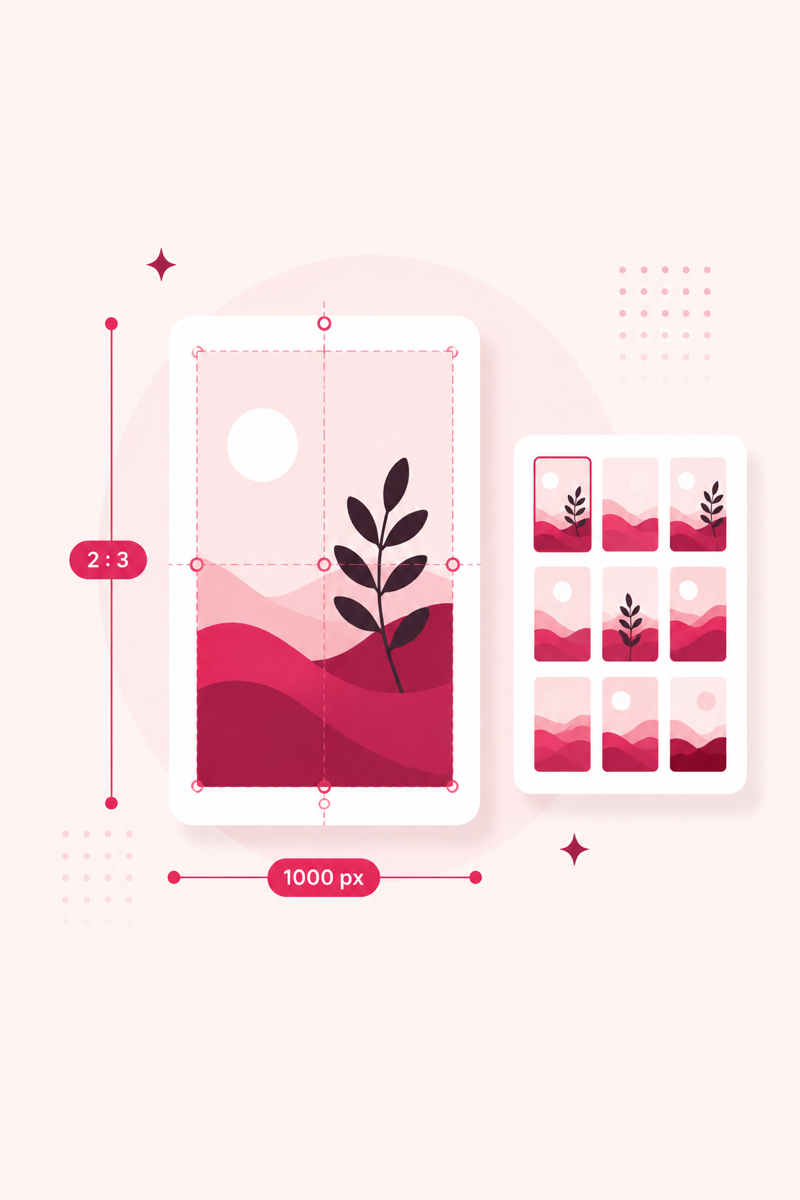
The right size makes your pin fill the feed instead of getting cropped or shrunk. Here are the dimensions that work best in 2026.
Standard pin (use this most)
- Aspect ratio: 2:3
- Best size: 1000 × 1500 px
- This is the sweet spot — tall enough to stand out, not so tall it gets truncated.
The 2:3 ratio wins because Pinterest's feed is a set of vertical columns that render every pin at roughly the same width — around 1000 px. Since width is fixed, height is your only lever for taking up screen space. A 2:3 pin is tall enough to command a good slice of the column as someone scrolls, yet short enough that Pinterest shows the whole image without cutting it. That combination of "big" and "not truncated" is why it's the default recommendation.
The math is simple: pick a width, then multiply by 1.5 for the height. 1000 × 1500, 1200 × 1800, and 2000 × 3000 are all 2:3. As of 2026, 1000 × 1500 is a safe target — sharp on high-density screens without a needlessly heavy file. To skip the arithmetic, see how to make pins in Canva, where the templates are already the correct ratio.
Longer pins
- Ratio: up to 1:2.1 (e.g. 1000 × 2100 px)
- Good for step-by-step or infographic content, but can get cut off in some views. Test before relying on it.
Extra-long pins are tempting because more height means more real estate. The catch is truncation: Pinterest caps how tall a pin can display, and beyond roughly a 1:2.1 ratio you risk the bottom of your design getting cut off. Never put your logo, call to action, or a critical final step at the very bottom — assume the last stretch may not be seen. Reserve this format for genuinely sequential content like recipes or tutorials, and test how it renders before committing a whole series to it.
Square pins
- Ratio: 1:1 (1000 × 1000 px)
- Works but takes less vertical space in the feed, so it stands out less than 2:3.
A square pin is valid — Pinterest displays it without cropping — but it occupies less vertical space than a 2:3 pin, so it's easier to glide past. Squares make sense when you're repurposing an Instagram post or product photo, but if you're creating from scratch, a 2:3 vertical is almost always stronger.
Video pins (former idea pins)
- Ratio: 9:16 (1080 × 1920 px) — full-screen vertical, like Stories.
Video pins are built for a full-screen vertical experience (Pinterest retired idea pins as a separate format and converted existing ones to video), so their ideal shape is taller and narrower than a standard pin. Design at 1080 × 1920 (a 9:16 ratio) and keep your subject and any on-screen text away from the very top and bottom edges, where the interface overlays profile info, captions, and buttons. For a fuller breakdown of specs and when video is worth the effort, see the Pinterest video pins guide.
Board cover
- Ratio: 1:1, displayed as a circle/square — keep the subject centered.
Board covers are shown small and often masked into a circle, so fine detail and edge-to-edge text won't read. Design them square, center a single clear subject or icon, and leave breathing room around the edges so nothing important is clipped when Pinterest rounds the corners.
Text legibility and the safe zone
Most people first meet your pin as a thumbnail, so any text has to survive being shrunk. Keep the most important words in the top two-thirds of the pin — the part most likely to be visible before someone scrolls past or before a taller pin gets clipped. Use large, bold type with strong contrast against its background; a light overlay behind text on a busy photo goes a long way. If you can't read your own headline when the pin is scaled down to the width of a fingernail, neither can anyone in the feed. For more on layout and hierarchy, the pin design tips guide goes deeper.
Common sizing mistakes
- Horizontal or landscape images: these get shrunk into a short, wide card that's easy to scroll past — the single biggest sizing mistake.
- Text too small: readable on your screen while designing, unreadable as a thumbnail.
- Cramming: too many words, logos, and elements competing at once. One clear message wins.
- Wrong ratio: uploading a photo at an odd shape and letting Pinterest decide how to fit it, instead of designing to 2:3.
- Heavy files: an oversized image slows the load; keep it reasonable so your pin appears quickly.
Right size, right keywords
Size gets you seen; keywords get you found. Score your pin free.
Open PinRank →FAQ
What is the best Pinterest pin size?
1000 × 1500 px (a 2:3 ratio) for standard pins — it's the most reliable across the feed.
Do square pins work on Pinterest?
They work, but 2:3 vertical pins take up more feed space and usually get more attention.
What's the best Pinterest pin size in 2026?
As of 2026, 1000 × 1500 px at a 2:3 aspect ratio is the best all-round choice for standard pins. It's sharp on high-resolution screens, fills the feed well, and displays without getting cropped. Pinterest can adjust its layout over time, but the 2:3 vertical shape has been the reliable default for years.
Do square or horizontal pins work on Pinterest?
Square (1:1) pins work fine and show without cropping, but they take up less vertical space than a 2:3 pin, so they stand out less. Horizontal or landscape images are the weakest option — Pinterest shrinks them into a short, wide card that's easy to scroll past. If you have the choice, design vertical.
Put this into practice
Free PinRank tools — no signup, results in seconds:
Want rank tracking and deeper pin analytics on top? PinClicks covers that side (affiliate link — it helps keep PinRank's tools free).
Free: Pinterest Keyword Starter Kit
120 copy-paste keywords across 12 niches, plus a pre-publish pin SEO checklist. Enter your email and the kit opens instantly.
No spam — occasional Pinterest SEO tips. Unsubscribe anytime.